


Last Updated: November 6, 2026
Quick Summary
Yes, for most people antivirus software is still worth having in 2026, though the reason has shifted. Built-in tools like Microsoft Defender cover much of the basics, but third-party antivirus software adds phishing warnings, ransomware protection, and centralized management for families and small businesses.
- Built-in protection like Microsoft Defender covers real-time scanning, cloud protection, and a firewall at no extra cost.
- Paid tiers usually add convenience and extra modules rather than detecting more malware than free tiers.
- Keep Windows Security’s real-time and cloud-delivered protection turned on and SmartScreen enabled.
- Never run two real-time antivirus engines at once, since this causes conflicts, slowdowns, and false positives.
- Test any security product on a free trial to check performance and false positives on your own hardware.
Table of Contents
- Is Antivirus Software Still Necessary in 2026?
- Built-In Protection Versus Third-Party Antivirus
- Do You Need Antivirus for Windows 11 and Windows 10?
- Is Antivirus Necessary for Android and iPhone?
- Antivirus Benefits and Limitations
- Choosing Your Protection Setup for 2026
- Frequently Asked Questions
Is Antivirus Software Still Necessary in 2026?
Is antivirus software necessary in 2026? For most people, the answer is yes, though the reason has shifted.
Threats in 2026 are less about broken, obviously suspicious files and more about convincing messages, fake login pages, and attacks that try to trick you into handing over credentials.
Your personal risk profile matters more than any blanket rule. A household that mainly uses a phone for messaging has different needs from a small business handling customer payment data on several PCs.
Built-In Protection Versus Third-Party Antivirus
Built-in protection is the baseline, and in 2026 that baseline is genuinely capable. Microsoft Defender, shipped as part of Windows Security, provides real-time antivirus scanning, cloud-delivered protection, a firewall, and account protection at no extra cost.
Third-party products typically go further, but the difference is narrower than marketing suggests. Core malware detection is table stakes; the meaningful differentiators are usually:
- Phishing and scam warnings that inspect the actual page or message rather than only the file you download.
- Ransomware rollback or protected folders, which can restore files if encryption begins.
- Behavioral and AI-assisted detection that flags unusual process behavior rather than matching a known signature.
- Centralized management for several devices, useful for families and small businesses.
Free and paid tiers usually differ in bundled features, not in core detection quality. If performance is your concern, why security software slows down your computer and how to avoid it explains the causes.
The trade-offs competitors skip
More features are not automatically better. Weigh these before installing anything:
- Telemetry and data collection. Security suites often collect device and browsing metadata to power cloud detection. Read the privacy policy and check whether you can limit data sharing.
- Bundled software and upsells. Some installers add browser extensions, toolbars, or trial offers. Choose custom installation and decline extras you did not ask for.
- Renewal practices. Many products auto-renew at a higher rate than the introductory offer. Note the renewal terms before you commit.
- System impact. Real-time scanning and multiple background services can slow older machines. A product that is excellent on a modern PC may feel heavy on a low-spec laptop.
A quick decision framework
Use this to decide whether built-in protection is enough for your situation:
- One up-to-date PC, careful browsing, no sensitive client data, built-in protection plus disciplined habits is usually sufficient.
- Several devices in one household, a third-party product with centralized management and phishing warnings earns its place.
- Small business handling customer or payment data, look for ransomware protection, endpoint monitoring, and reporting, not just antivirus.
- Frequent downloads from unfamiliar sources or sideloaded apps, add a product with strong behavioral detection and web filtering.
- Older or shared devices, prioritize a lightweight product and test performance before committing.
The honest answer is that built-in tools close most of the gap, and third-party software is worth it when you can name the specific gap you need filled. BullZIGA’s approach is to combine antivirus with PC cleaning, privacy shielding, and ransomware protection so the extra layers are purposeful rather than bundled noise.
The main differences between built-in tools and third-party products come down to a few distinct features.
| Feature | What it adds | Note |
|---|---|---|
| Phishing and scam warnings | Inspects the actual page or message | Goes beyond file scanning |
| Ransomware rollback or protected folders | Restores files if encryption begins | Can recover encrypted files |
| Behavioral and AI-assisted detection | Flags unusual process behavior | Not limited to known signatures |
| Centralized management | One dashboard for several devices | Useful for families and small businesses |
| Privacy and identity features | VPN, dark-web monitoring, app locking | Bundled extras, not core detection |
Do You Need Antivirus for Windows 11 and Windows 10?
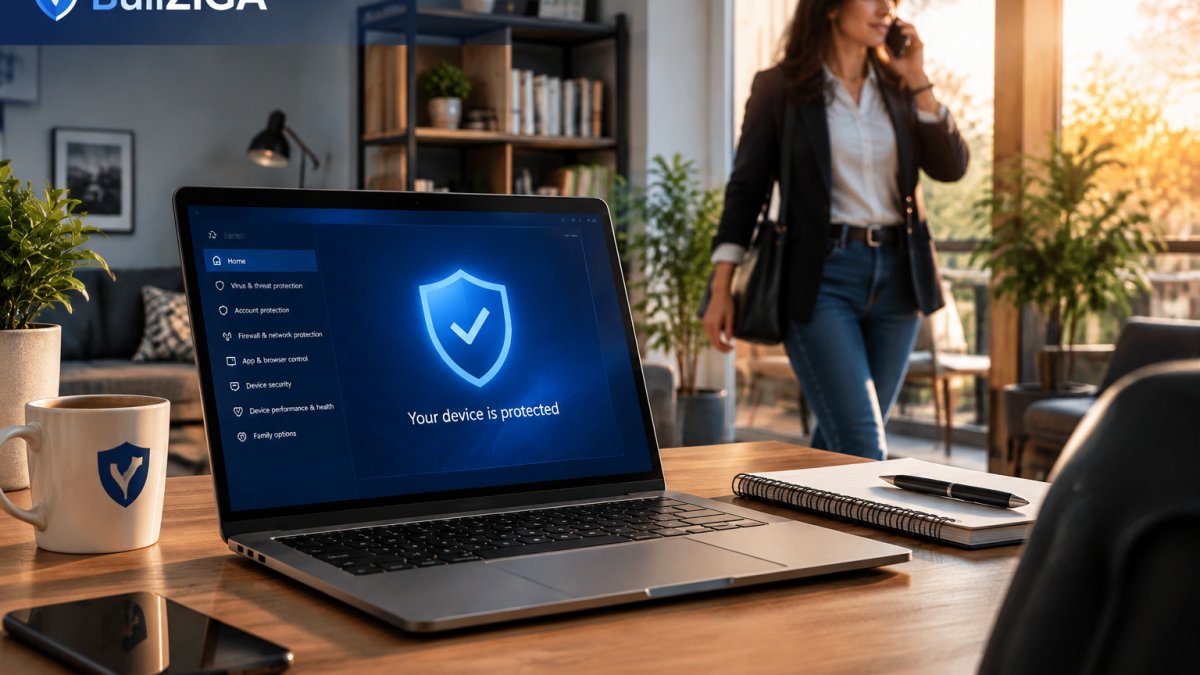
For most Windows 11 and Windows 10 users, Microsoft Defender provides a solid starting point, and keeping Windows Security enabled with updates applied is the foundation of protection. Whether you need more depends on how you use the machine and which Defender features you actually turn on.
What Microsoft Defender and Windows Security actually cover
Windows Security bundles several protections in one place:
- Virus and threat protection, real-time scanning, cloud-delivered protection, and automatic sample submission.
- Firewall and network protection, inbound and outbound filtering by profile (domain, private, public).
- App and browser control, SmartScreen, which blocks known malicious sites and unrecognized downloads.
- Account protection, Windows Hello and sign-in hardening.
- Device security, core isolation and memory integrity, which help block kernel-level attacks.
Defender receives definition updates through Windows Update, and its cloud component lets it respond to new threats faster than signature-only tools once did. For a current, patched PC, that is a credible baseline.
Settings that matter more than the product name
Many users are less protected than they think because a setting is off or a habit is weak. Check these:
- Confirm real-time protection and cloud-delivered protection are on in Windows Security.
- Keep SmartScreen enabled in both Windows and your browser.
- Turn on memory integrity under Device security if your hardware supports it.
- Enable automatic updates and restart when prompted; unpatched systems are the most common soft target.
- Use a password manager and unique passwords, and turn on two-factor authentication on email and banking accounts.
When built-in tools are enough, and when they are not
Built-in protection is typically sufficient when you install software only from trusted sources, keep Windows patched, use unique passwords, and stay cautious about links and attachments.
Add a dedicated product when any of these apply:
- You regularly download files from unfamiliar sites or open attachments from unknown senders.
- You handle client, financial, or health data on the machine.
- You want ransomware rollback, protected folders, or phishing warnings that inspect page content.
- You manage several PCs and want one dashboard and consistent policy.
Watch out: installing a second real-time antivirus alongside Defender can cause conflicts, slowdowns, and false positives. Most third-party suites disable Defender automatically during install; if yours does not, do not run both real-time engines at once.
Gaming and performance considerations
Gamers often worry that antivirus will cost frames. Modern Defender and reputable third-party products include game modes or scan scheduling that defer heavy scans. The practical steps are to schedule full scans for idle hours, exclude your game library folder from real-time scanning if the vendor supports it, and avoid running multiple security tools simultaneously.
BullZIGA’s antivirus is built to run alongside Windows Security sensibly, pairing active protection and deep threat scanning with PC cleaning tools so security does not come at the cost of day-to-day performance.
Is Antivirus Necessary for Android and iPhone?
Phones carry the same sensitive data as computers, including banking apps, messages, and photos, so mobile security deserves attention. The biggest risks usually come from installing apps outside official stores, granting excessive permissions, and responding to phishing texts.
iOS is built with tighter sandboxing and restrictions on what apps can access, which limits the usefulness of traditional antivirus scanning. Android offers more flexibility and therefore more variation in risk, so Android users benefit more from a reputable security app, particularly if they sideload apps.
Antivirus Benefits and Limitations
Antivirus software offers real benefits: it detects known malware, flags suspicious files, blocks some malicious websites, and provides an extra safety net when you make a mistake.
It also has clear limits. To cut down on tracking, remove online tracking and protect your privacy with the steps covered there.
Watch out: some security suites slow older machines or generate frequent false positives that block legitimate programs.
Choosing Your Protection Setup for 2026
Start by matching protection to your actual use. A single home PC used for browsing and email can often rely on Windows Security with disciplined habits. A family with several devices, or a small business with customer data, should consider a product that offers centralized management, ransomware protection, and phishing defenses.
Our practical recommendation is to list your devices, identify the most sensitive data on each, and then decide which gaps need closing. Free trials make it easy to evaluate options before paying.
Frequently Asked Questions
Do you still need antivirus in 2026?
For many people, yes, though built-in protection covers a lot of ground. Windows includes Microsoft Defender antivirus, which the supplied results describe as sufficient for many systems. Third-party antivirus can add protection against phishing, scams, ransomware, and privacy threats. Whether you need more depends on how you use your device, what you download, and how much risk you can tolerate. Keeping your system updated and avoiding suspicious links matters regardless of which tools you choose.
Is Windows Security enough for most users?
Windows Security is Microsoft’s built-in security solution and is recommended for most systems in the supplied results. For users who keep Windows updated, browse carefully, and do not install unknown software, it provides a reasonable baseline. Users who want extra features such as broader phishing or scam warnings, or dedicated privacy tools, may prefer adding a third-party product. Built-in protection is free because it comes with Windows, so the decision often comes down to which extra features you need.
Is antivirus necessary for Android?
Android devices can benefit from security software, especially if you install apps from outside official stores or click links often. Built-in Android protections reduce risk, but a security app can add scanning and web protection features. Review app permissions, install updates promptly, and be cautious with unfamiliar downloads, whichever approach you take. The right choice depends on your habits and how much risk you accept.
Does antivirus protect against everything?
No. Antivirus software detects known malware and suspicious behavior, but it cannot fully stop phishing messages you willingly respond to, weak or reused passwords, or outdated software with unpatched vulnerabilities. It also cannot fix risky habits such as sharing account credentials. Think of antivirus as one layer in a broader approach that includes software updates, strong authentication, and careful online behavior.
For more on staying protected, see our guides on how to stay safe online and speeding up a cluttered PC.
