


Last Updated: November 4, 2026
Quick Summary
Affordable cybersecurity for a small business means protecting every endpoint with active antivirus and anti-malware coverage first, then adding layers that fit your risks. Choose tools that protect by default, need little administration, and price predictably as the team grows. Confirm settings on each device after rollout.
- Protect every laptop, desktop, and server with active antivirus and anti-malware coverage first.
- Stacking two cheap layers can beat one premium tool that is never fully configured.
- Keep at least one backup disconnected or stored separately, since networked backups can be encrypted too.
- Turn on multi-factor authentication for email and financial accounts.
- Agree in advance which actions a managed provider may take without your sign-off.
Table of Contents
- Why Affordable Cybersecurity Matters for Small Businesses
- Core Protection Every SMB Needs: Endpoint Security and Antivirus
- Defending Against Ransomware on a Limited Budget
- How to Compare Affordable Cybersecurity Solutions by Business Size and Risk
- When Managed Cybersecurity Services for Small Business Make Sense
- Total Cost of Ownership: What to Budget Beyond the Sticker Price
- Your Cybersecurity Checklist for Small Business and Next Steps
- Frequently Asked Questions
Why Affordable Cybersecurity Matters for Small Businesses
Small businesses are attractive targets, and BullZIGA sees the same pattern across its customer base: attackers assume a smaller team will have weaker defenses. Affordable cybersecurity solutions for SMBs exist to close that gap without forcing a company to buy enterprise tooling it cannot staff.
The real question is not whether a small business can afford protection. It is whether the protection it buys actually matches its risks. A cheap product that misses ransomware is no bargain, and an expensive suite that no one configures does little good either.
Good affordable cybersecurity solutions share three traits: they protect endpoints by default, they run with little ongoing administration, and they price predictably as the team grows. Those traits matter more to a 25-person firm than feature counts do.
Core Protection Every SMB Needs: Endpoint Security and Antivirus
Endpoint protection is the foundation. Every laptop, desktop, and server is a place where malware can start, so every one needs active antivirus and anti-malware coverage. Endpoint detection and response (EDR), antivirus, next-generation firewalls, and DNS security are the core tool categories small businesses should understand before building a stack.
What separates a baseline stack from a real one is how the layers hand off to each other. Antivirus and anti-malware catch known malicious files and suspicious executables at the device. EDR watches behavior across devices, a document that spawns a scripting engine, a login from an unusual location, a process reaching for credential stores, and keeps a record you can investigate after the fact. A next-generation firewall inspects traffic entering and leaving the office network, and DNS security blocks lookups to known malicious domains before a connection is ever made. Each layer covers a gap the others leave open, which is why stacking two cheap tools often beats buying one premium tool and stopping there.
Start with what each device runs and who uses it. Shared machines and devices that open email attachments carry the highest risk, so they should be covered first. A common pattern is to protect the owner’s laptop, the bookkeeping workstation, and any machine that touches payment or client records before rolling out to the rest of the team.
Here is how the main protection types compare for a typical small team:
| Protection Type | What It Covers | Best For |
|---|---|---|
| Antivirus and anti-malware | Viruses, spyware, malicious files | Every device, as a baseline |
| Endpoint detection and response | Suspicious behavior across devices | Teams with several endpoints |
| Next-generation firewall | Network traffic and intrusions | Offices with shared networks |
| DNS security | Blocks access to malicious sites | Teams with frequent web use |
| Email filtering | Phishing, malicious attachments, spoofed senders | Any team that receives invoices or client files by email |
Email filtering deserves its own line because phishing remains the most common way a small business gets compromised. A filter that quarantines suspicious attachments and flags lookalike sender domains stops many attacks before a user ever sees them.
BullZIGA’s antivirus and anti-malware offerings focus on active protection and continuous scanning. Its anti-spyware and ransomware protection features address related threats, so a small team can look to one provider for several baseline layers.
Watch out: installing endpoint agents is not the same as configuring them. A default install that never gets a policy review may leave real-time protection off on the machines that need it most, so confirm the settings on each device after rollout.
A practical way to judge whether your endpoint layer is actually working is to track a few simple signals: what percentage of devices have the agent installed and reporting, how quickly new devices get covered, and whether alerts are being reviewed by a named person. If nobody owns the alert queue, the tool is collecting data nobody acts on.
Defending Against Ransomware on a Limited Budget
Ransomware is the threat most small businesses fear, and it is the one that most often stops operations entirely. The defense is layered rather than expensive. Keep reliable, offline backups, apply software updates promptly, require multi-factor authentication on email and financial accounts, and run protection that watches for file-encryption behavior. For a deeper walkthrough of protecting multiple office computers from malware, see the full guide.
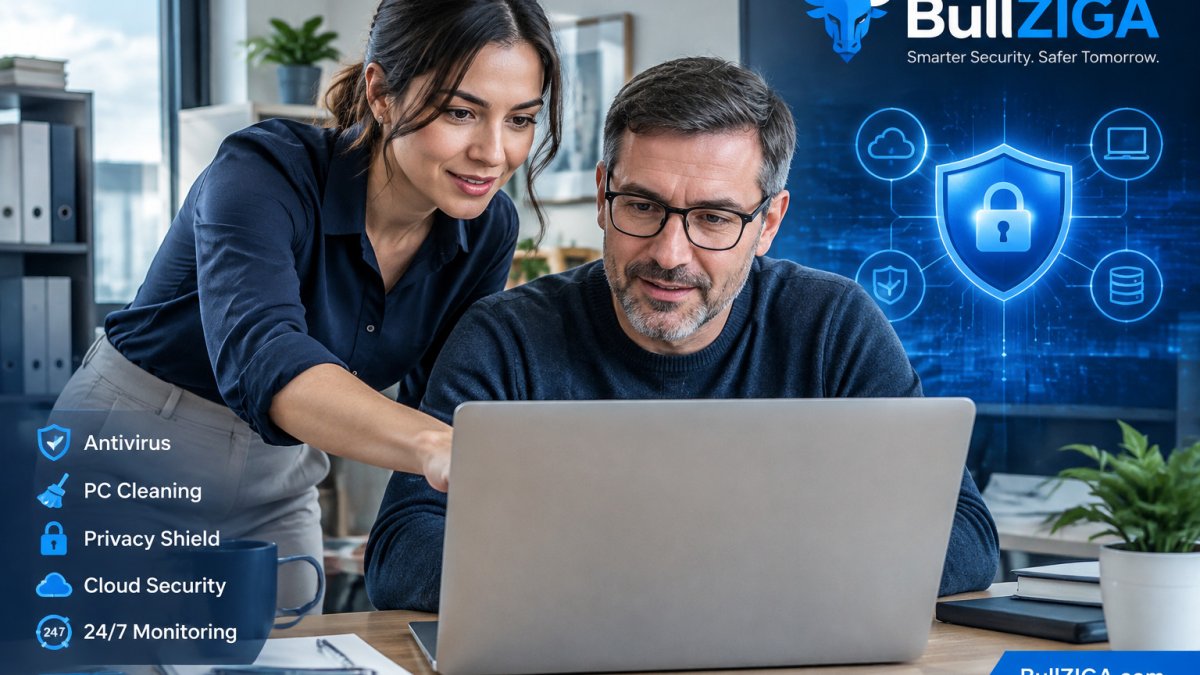
A business owner and an employee reviewing a security alert together at a desk in a bright, modest office is a useful picture of what good ransomware response looks like: two people, one screen, and a clear escalation step.
Watch out: a backup that sits on the same network as the files it protects can be encrypted along with them. Keep at least one copy disconnected or stored separately.
How to Compare Affordable Cybersecurity Solutions by Business Size and Risk
Comparing options by sticker price alone misses the point. Start by sorting your business into a size band and a risk profile. A five-person accounting office that handles client tax data has different needs than a ten-person design studio with no regulated data.
Use four criteria when you compare:
- Device coverage: How many endpoints the plan protects, and whether servers are included.
- Response capability: Whether the vendor alerts you to threats or leaves you to find them.
- Administration load: How much time your staff must spend running the product each week.
- Scaling terms: How pricing changes when you add devices or staff.
A unified platform can be worth evaluating if your team cannot run several products well.
Check each vendor’s own pricing page for current figures.
When Managed Cybersecurity Services for Small Business Make Sense
Managed cybersecurity services make sense when no one on your team can watch alerts every day. Outsourced monitoring, sometimes called managed detection and response, puts trained analysts on the alerts so suspicious activity gets a response. The value is not the software, it is the human process wrapped around the software.
Consider managed services if you have no in-house IT staff, if you handle regulated data, or if a single incident would threaten the business. A small team with a part-time IT contractor may need only endpoint protection plus periodic review. The dividing line is usually response capacity: if an alert fires and nobody is assigned to act on it within a reasonable window, managed monitoring closes a real gap rather than duplicating what you already have.
What managed monitoring actually does, step by step, is worth understanding before you buy:
- Collection: Agents on endpoints, and often email and cloud accounts, send security events to a monitoring platform.
- Correlation: The platform and analysts group related events, a failed login followed by a successful one from a new location, for example, into a single incident instead of hundreds of raw alerts.
- Triage and prioritization: Analysts separate noise from genuine threats, often with AI-assisted risk scoring that ranks incidents by likely impact.
- Escalation: Confirmed threats are routed to your designated contact with a plain-language summary and a recommended action, such as isolating a device or resetting credentials.
- Response assistance: Depending on the service level, the provider may isolate an endpoint, block a sender, or guide your team through containment.
- Reporting: Regular summaries show what was detected, what was resolved, and what remains open.
BullZIGA offers 24/7 Security Operations Center (SOC) support, which can take the monitoring burden off a small team. Its AI-assisted layer is intended to translate technical events into plain-language recommendations. Ask any provider what happens after hours and who makes the call to isolate a machine.
A unique angle most SMB security guides skip is measuring whether managed services are earning their keep. Track a small set of practical indicators: the percentage of endpoints actively reporting, the median time from alert to first response, the share of alerts closed as false positives, and how many incidents required escalation to your team. If response times drift or reporting coverage drops, the service is not delivering what you are paying for, regardless of how many features the contract lists.
Watch out: a managed service that alerts you but has no authority to act can leave a threat running overnight while everyone waits for approval. Agree in advance which actions the provider may take on its own and which require your sign-off.
Total Cost of Ownership: What to Budget Beyond the Sticker Price
The subscription fee is only part of what you will spend. Budget for these costs as well:
- Deployment time: Installing agents and configuring policies on each device.
- Training: Teaching staff to recognize phishing and report suspicious email.
- Support and escalation: Who responds when an alert fires during a holiday weekend.
- Backup and recovery: Storage and testing of restores, not just backup software.
- Growth costs: What each new hire adds to the monthly bill.
Pricing for BullZIGA depends on quantity, the features you need, and whether managed services are included. Visit the BullZIGA website for current pricing or to request a quote.
Your Cybersecurity Checklist for Small Business and Next Steps
Use this checklist to close the most common gaps:
- Inventory every laptop, desktop, server, and mobile device
- Confirm antivirus and anti-malware run on all of them
- Turn on multi-factor authentication for email and financial accounts
- Apply operating system and software updates on a set schedule
- Keep offline or separately stored backups and test restoring from them
- Train staff to spot phishing and report it immediately
- Decide who responds to a security alert, and after hours too
- Review total cost, including training and support, before you buy
Start with the endpoints and the ransomware basics, then add managed monitoring as your team grows. BullZIGA’s endpoint protection and 24/7 SOC support are designed for small teams that want dependable coverage without building an internal security operation. Start the free trial on the BullZIGA website to test it on your own devices, and explore the Shop BullZIGA range to find the protection that fits your business.
Frequently Asked Questions
What are the best affordable cybersecurity solutions for SMBs?
The most useful starting point is a combination of endpoint protection with antivirus and anti-malware, ransomware protection, multi-factor authentication, and email security with phishing filtering. Many vendors offer these as per-user or per-device subscriptions, so pricing depends on how many devices and users you have. BullZIGA offers a free trial, which lets a team test endpoint protection and privacy tools before committing. Compare how each tool covers your highest-risk systems rather than choosing on price alone, and check current pricing directly with each vendor.
Is antivirus software enough to protect a small business?
Antivirus alone is not enough. It detects and removes known malware well, but it does not address phishing, stolen credentials, unpatched software or ransomware that spreads through shared drives. A small business needs layers: endpoint detection, multi-factor authentication, regular backups, employee awareness training and a way to monitor alerts. BullZIGA’s endpoint and anti-malware tools are one layer of that stack, and they work best alongside the other controls described in this guide.
Should a small business use managed cybersecurity services?
Managed services make sense when a business has no dedicated IT or security staff, or when its IT lead is stretched thin. A provider can monitor endpoints, triage alerts and escalate incidents, which is valuable when no one is watching systems outside business hours. Ask whether the service includes 24/7 monitoring, incident response support and clear reporting. BullZIGA positions managed endpoint detection and response and SOC-style monitoring for SMBs, so it is worth requesting a scope and quote to compare against doing it in-house.
How often should a small business review its cybersecurity?
Review your cybersecurity at least once a year, and after any significant change such as a new hire, a new cloud application, a office move or a security incident. Quarterly checks work well for patching, reviewing user access and confirming that backups restore correctly. Use a short checklist so reviews stay consistent, and assign one person to own the process even if an outside provider handles monitoring.
